Truefold for iPhone

Every document you own. One private vault.

Passports, licenses, bank details, payment cards, travel papers — found in seconds, encrypted on your iPhone, and synced through your own iCloud.

Free for a limited time · No account · No tracking · No ads

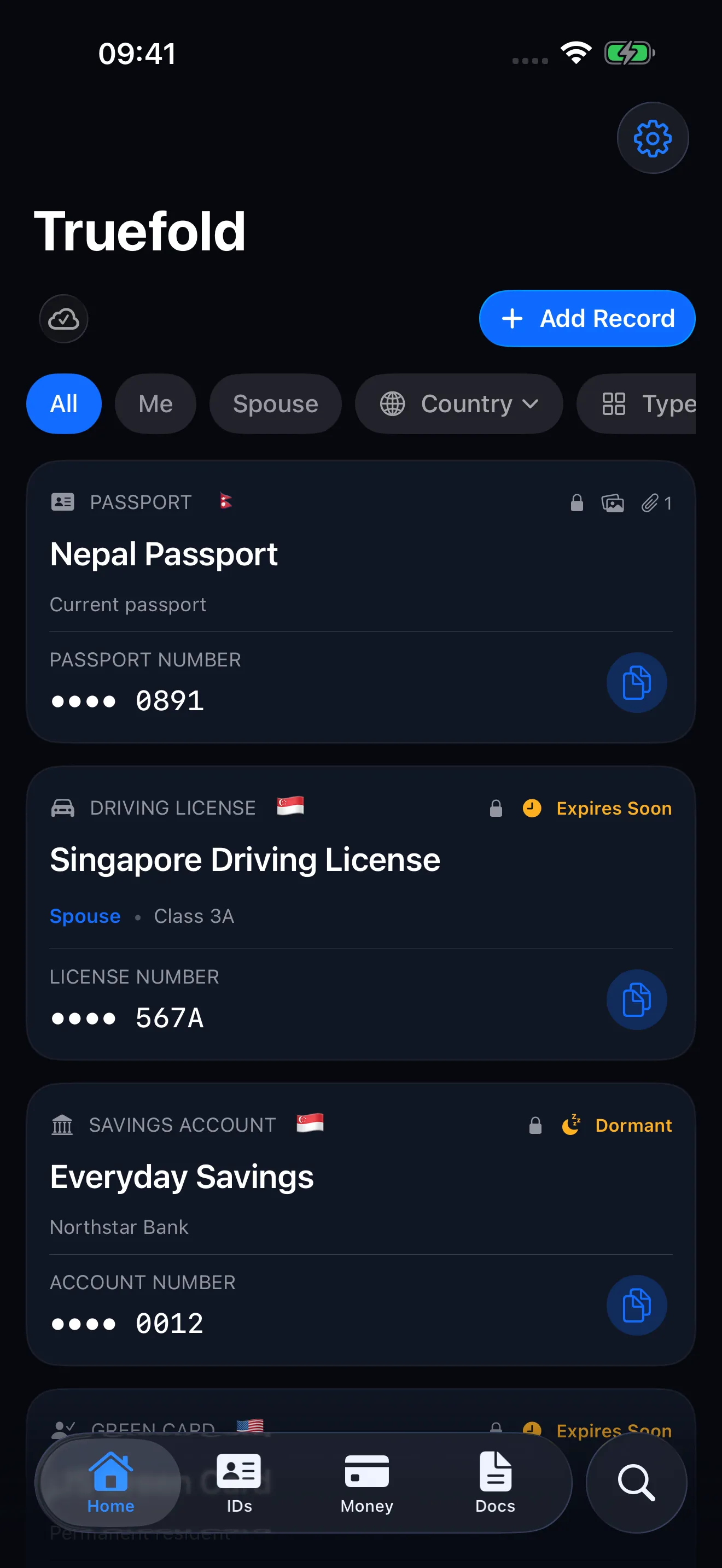
Truefold’s Home screen listing a passport, a driving license, and a savings account, each with a copy button.

Instant retrieval

Find it in seconds. Even offline.

The moment someone asks for a number, you have it. Live search matches titles, types, countries, and field values as you type — all on your device, no connection required. See how offline access works.

  • Search by name, type, country, or content
  • Filter any list by holder, type, country, or status
  • Nothing you type ever leaves your iPhone
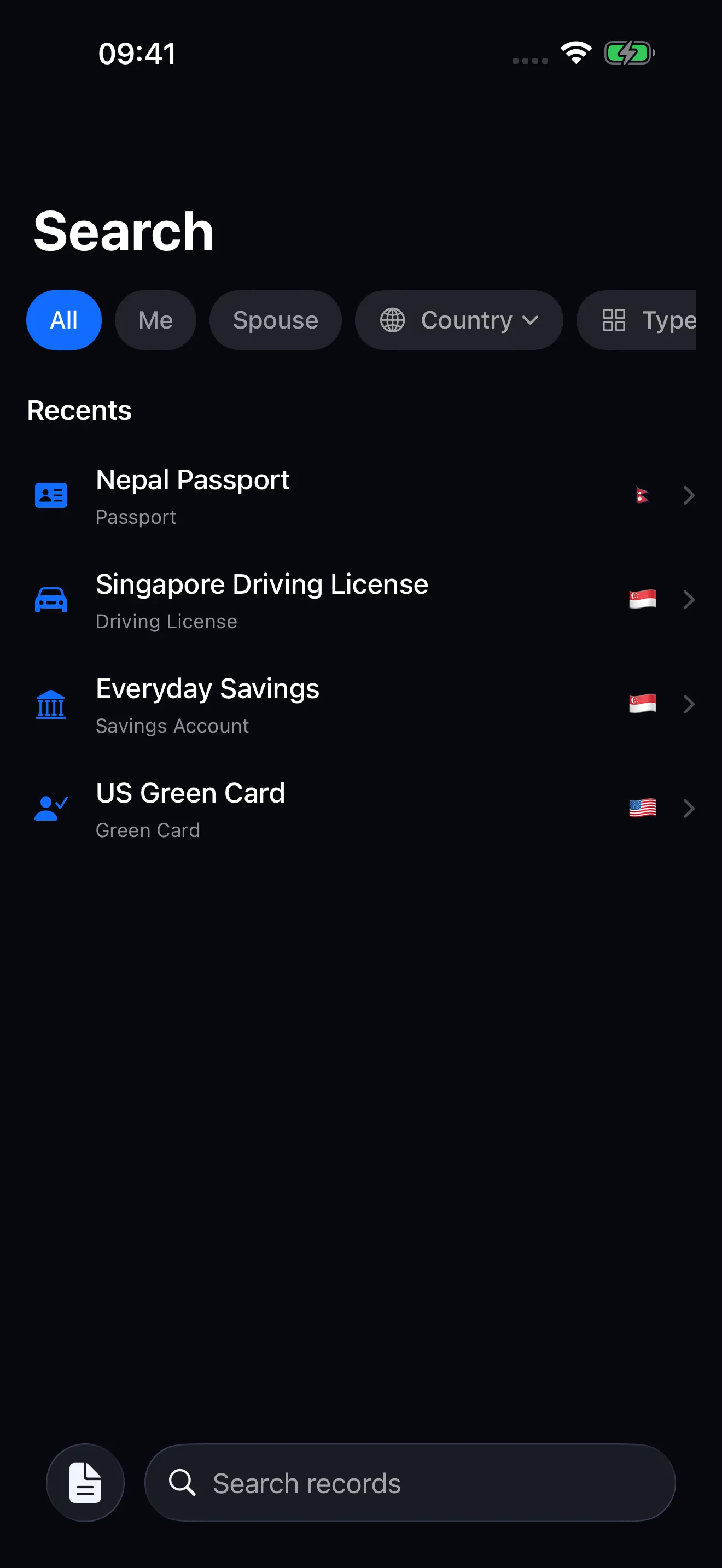
Truefold’s search screen finding records as you type.

Scan to fill

Scan it. Don’t type it.

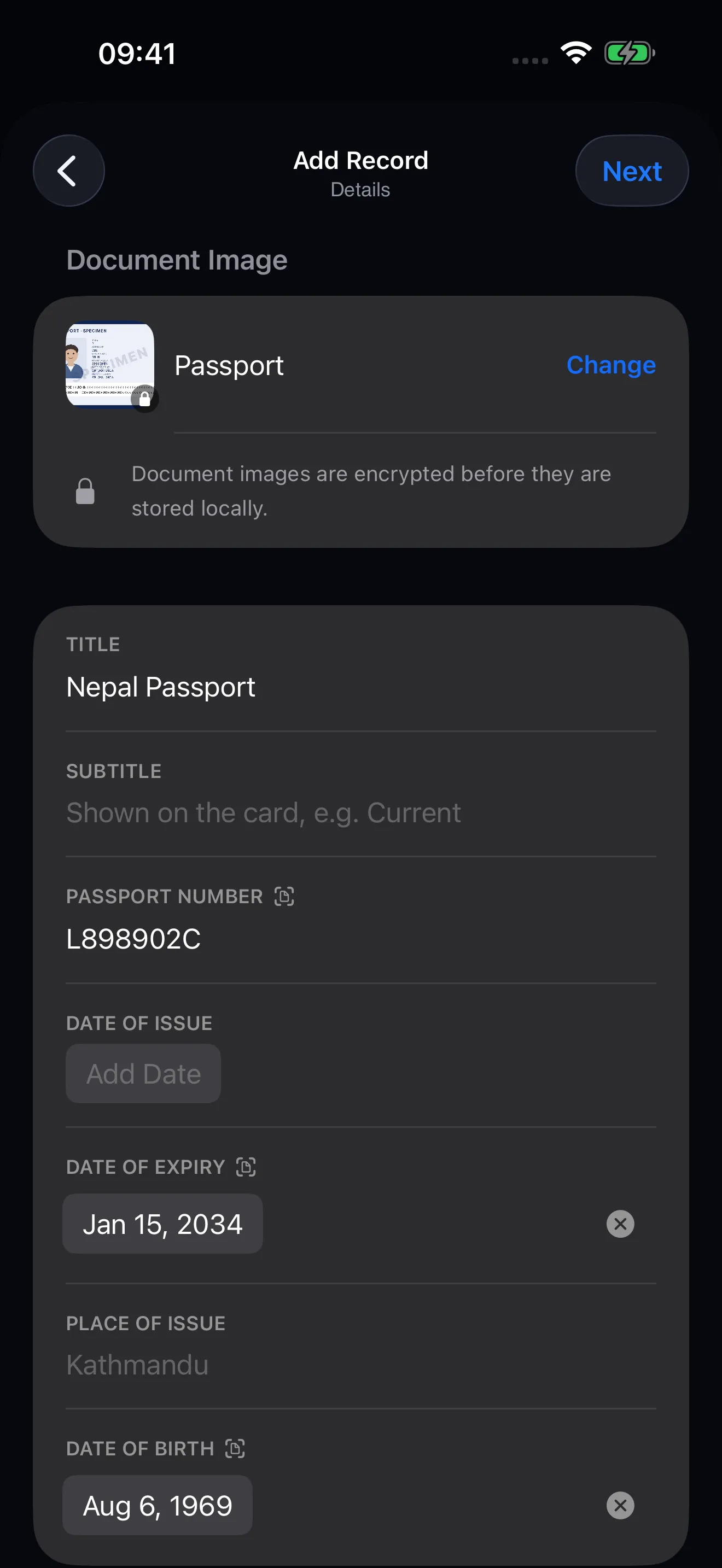
Photograph the photo page of a passport, a national ID, a residence permit, a visa, or the back of a US or Canadian driving license, and Truefold fills in what it can read. Photograph a payment card and it fills in the number.

  • Read entirely on your iPhone — nothing is uploaded
  • Nothing is saved until you have reviewed it
  • Anything you typed yourself is never overwritten
  • Fills in nothing rather than guessing, when a reading can’t be verified
The Add Record details screen after a passport scan, with the passport number, expiry, and date of birth filled in.

Copy-first

Reveal only what you choose. Copy with one tap.

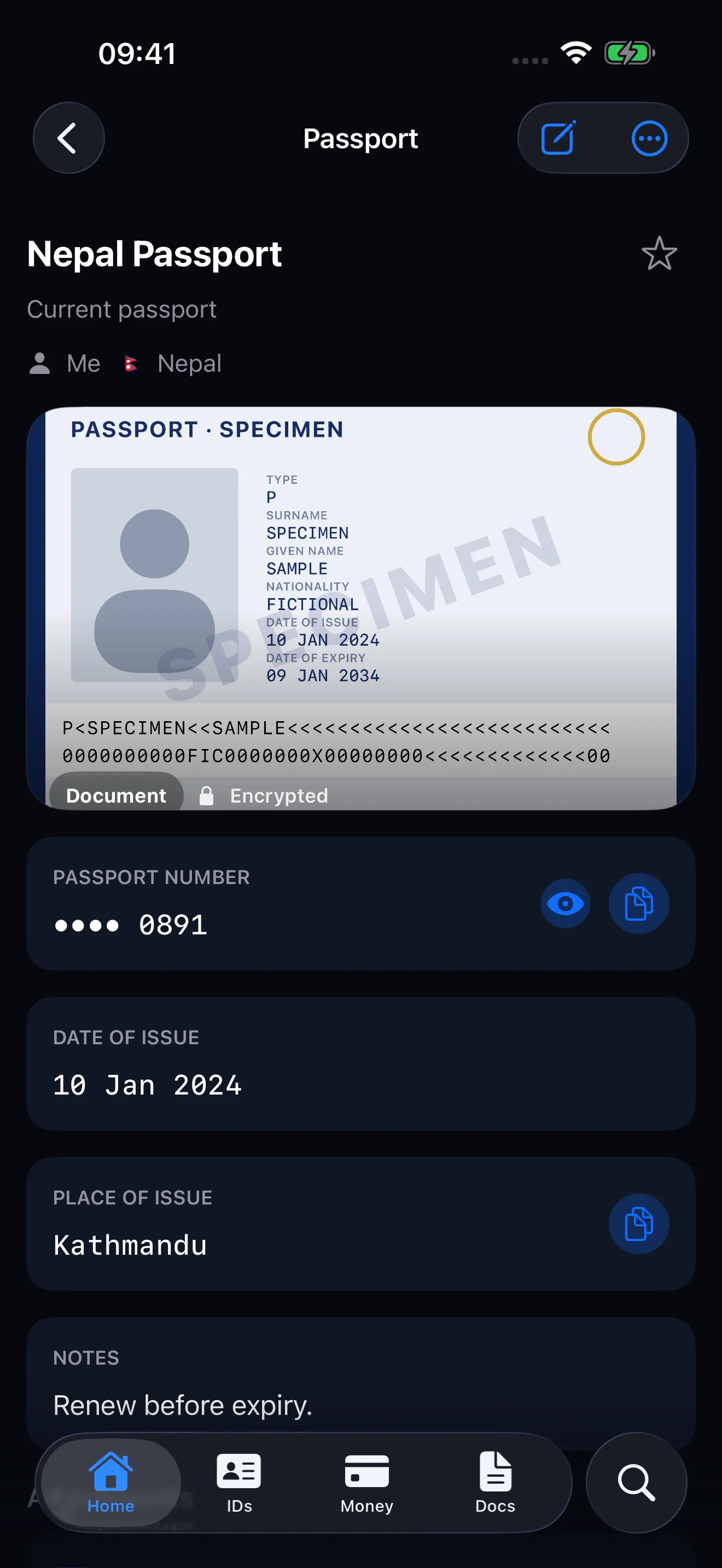
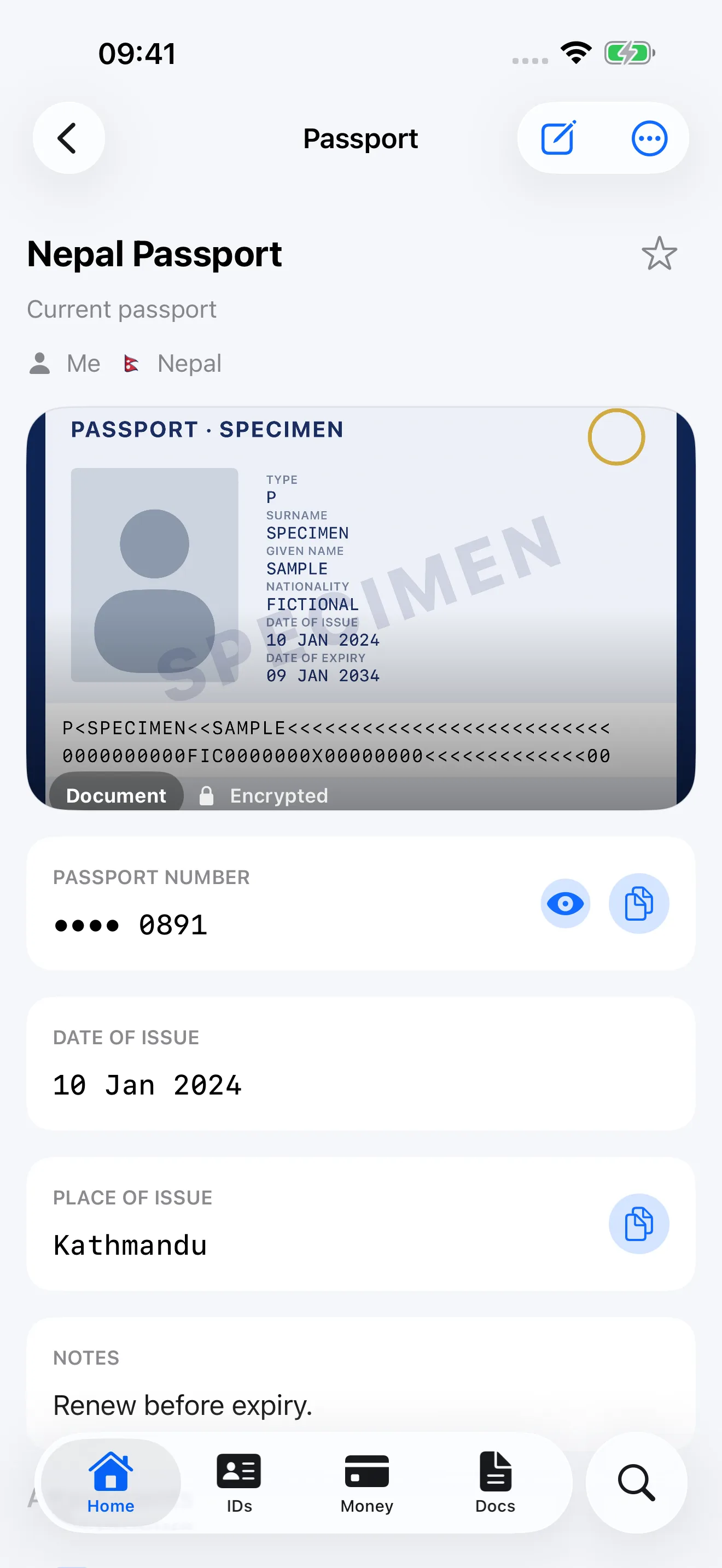
Sensitive numbers stay masked until you confirm with Face ID, Touch ID, or your passcode. The copy button sits right beside every value — no zooming into a scanned page at the counter.

  • Masked by default, revealed only by you
  • One-tap copy next to every field
  • Face ID confirmation for sensitive values
  • Or copy the whole record as a labeled text block
A record detail screen with masked sensitive values and copy buttons beside each field.

Cards & accounts

Ready at the counter.

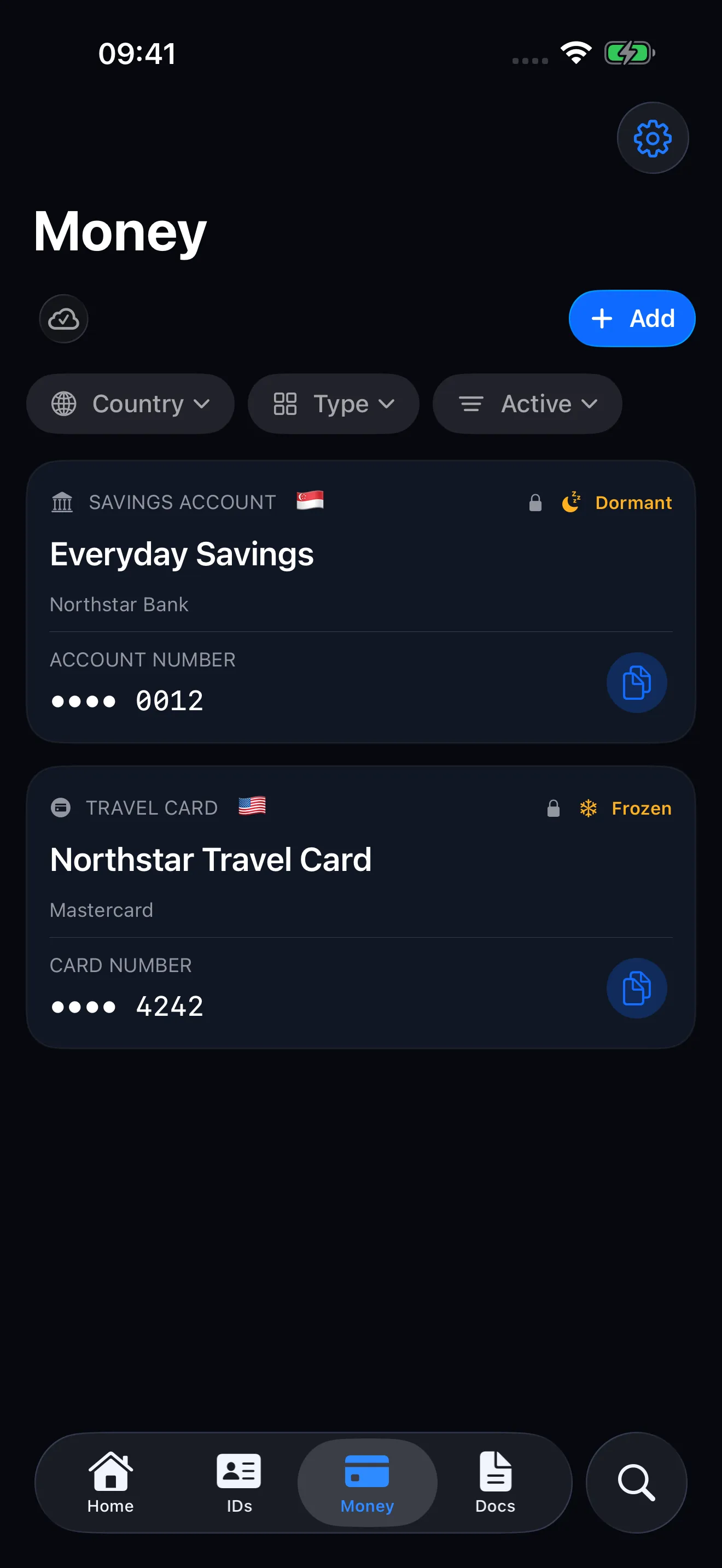
Bank accounts and payment cards live together on one tab, with account numbers, IBANs, and card details a reveal away. Filling in a bank form stops being a scavenger hunt.

The Money tab showing bank accounts and payment cards.

Holder profiles

Built for the whole family.

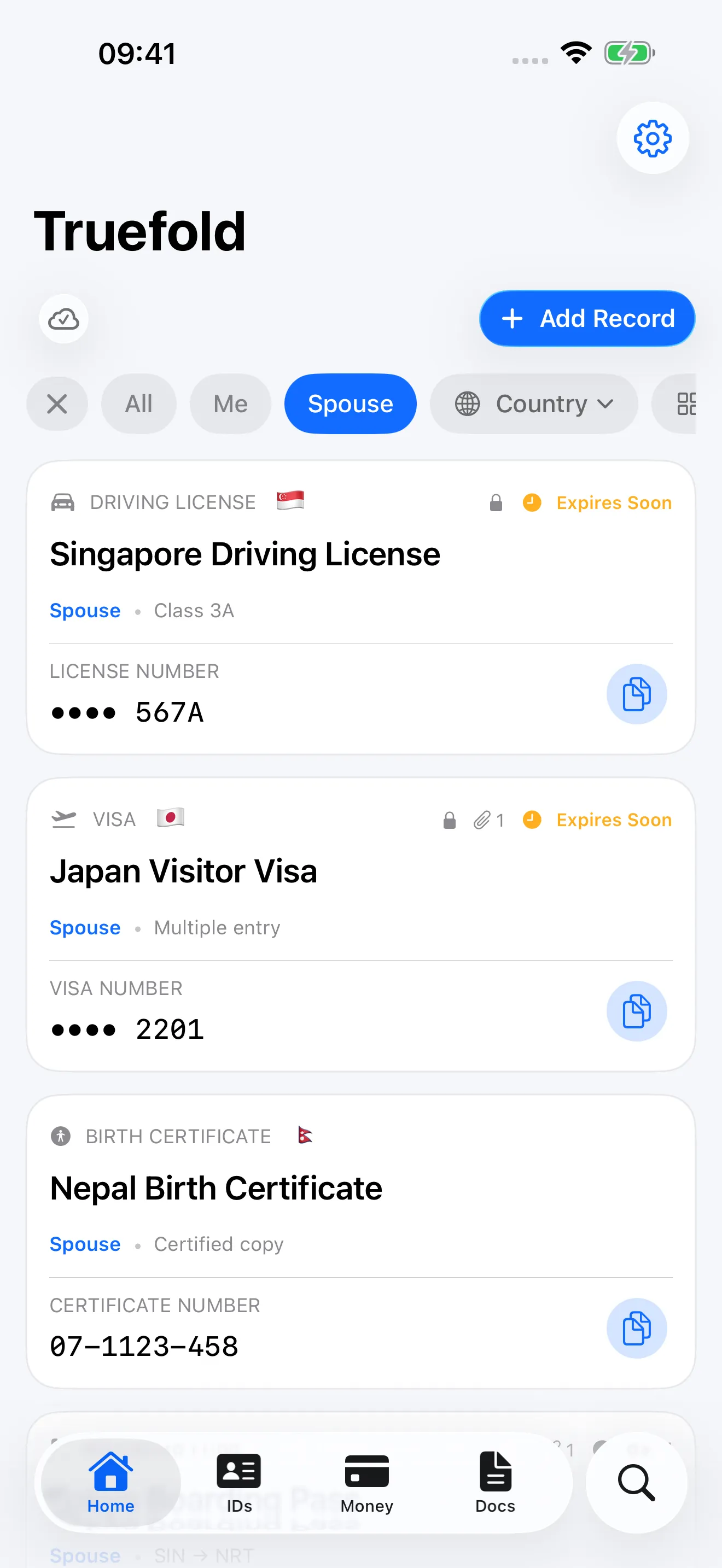
Keep your spouse’s passport, your child’s birth certificate, and your parents’ documents in the same vault — organised by person, with no separate accounts or logins to manage.

A record list filtered by family member profiles.

Templates

Your country’s documents, by name.

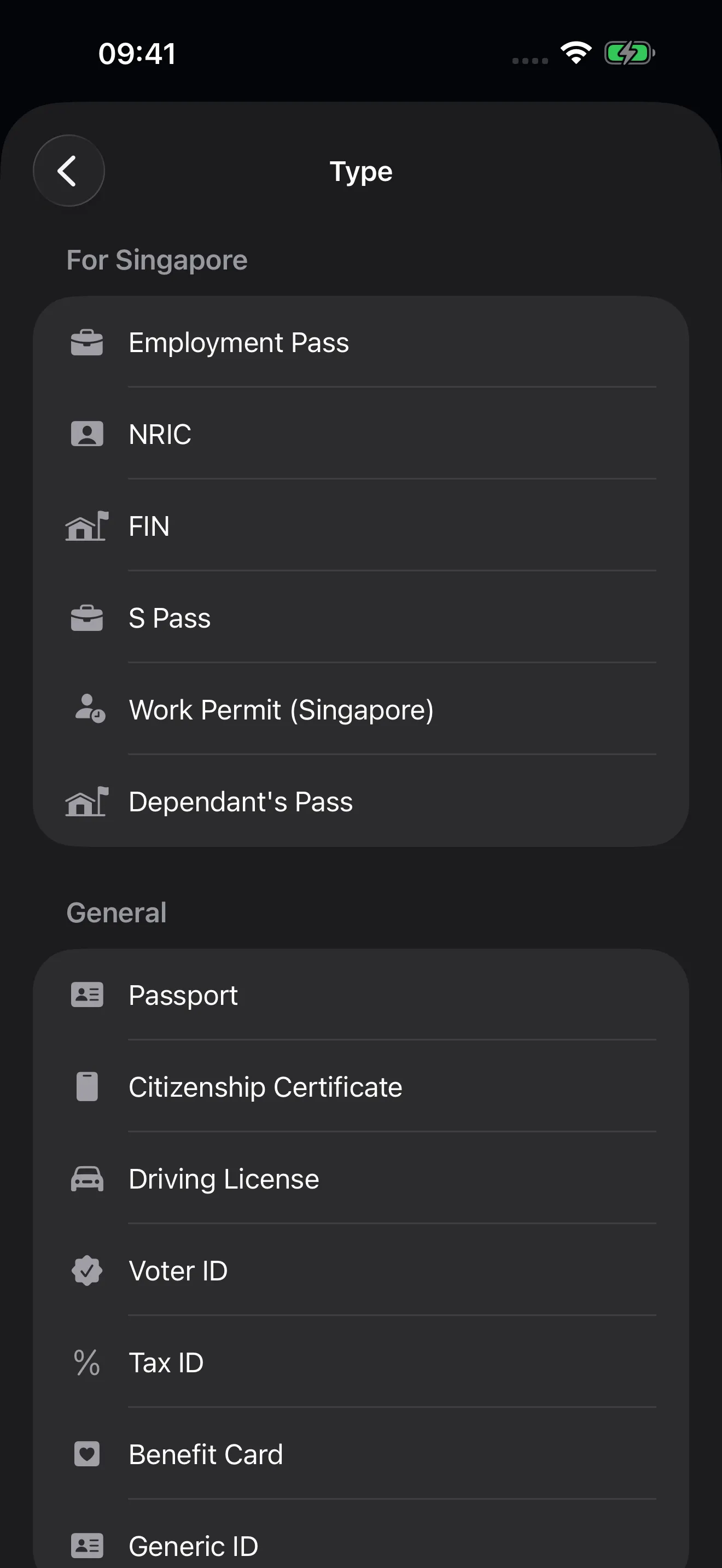
Choose your country and the list leads with the documents you actually carry — Emirates ID, NRIC, MyKad, CPF, Codice Fiscale, My Number Card and more than 160 others across 44 countries — each with the right label and number format. Passports, licenses, visas, insurance, bank accounts and certificates all come with their fields built in, so adding a record takes moments, not form-building.

The Add Record type picker with a “For Singapore” section listing Employment Pass, NRIC, FIN, and S Pass above the general types.

Small app. Sweated details.

Truefold is built for the moment you need a document — not for managing paperwork as a hobby.

Works offline

Everything is stored on your iPhone first. At a border desk or in a basement, your documents are there.

Expiry at a glance

Passports and licenses show an “expires soon” status before it becomes a problem at the counter.

Attachments

Keep the document’s photo and its supporting files with the record — all encrypted before they are stored or synced.

Locked by default

Face ID, Touch ID, or your passcode gates the app, and sensitive values stay masked until you reveal them.

Share as text

Send a whole record as a neatly labeled block, ready to paste into any chat or form. Secrets like the CVV are never included.

Locks on your schedule

Choose whether Truefold locks after 1, 5, or 15 minutes away. A quick glance at another app never locks you out mid-entry.

The clipboard clears itself

Anything you copy is cleared after 90 seconds, and when Truefold locks — unless you have copied something else since.

Export anytime

Your vault is yours: export a complete copy of your data from Settings whenever you want.

On all your iPhones. Automatically.

Your vault syncs through your own private iCloud — the same Apple Account you already have. There is no Truefold account, no server of ours holding your documents, and nothing to sign up for. Pause syncing anytime in Settings.

Privacy is the product.

Truefold is designed so that no one but you — not even us — can read what is inside your vault.

End-to-end encrypted

Sensitive values and scans are encrypted with AES-GCM on your device before they are stored or synced. iCloud only ever holds ciphertext, and the keys never leave your devices.

No account, ever

There is no sign-up, no username, and no password. Truefold works with your Apple Account and your private iCloud — nothing else.

Nothing collected

No analytics, no ads, no tracking, no third-party SDKs. The App Store privacy label says “Data Not Collected” because there is nothing to collect.

You stay in control

Export everything or delete everything, from inside the app, on your terms. Your documents are yours — Truefold just keeps them close.

The full detail is in our Privacy Policy — written to be read, not scrolled past.

Questions, answered.

Where is my data stored?

On your iPhone and in your own private iCloud. Truefold has no server that holds your data. Sensitive values and scans are end-to-end encrypted before they are stored or synced.

Do I need to create an account?

No. Truefold uses the Apple Account already on your iPhone. There is no sign-up, username, or password to manage.

Is Truefold an official identity document?

No. Truefold is a private, personal copy of your information for your own convenience. Always use your official documents where one is required.

More questions and answers in the Help Center →

A calmer place for your important documents.

Built natively for iPhone. Private from the first launch. Ready in seconds.

Download_on_the_App_Store_Badge_US-UK_RGB_blk_4SVG_092917